Created: 31st May 2018
Introduction
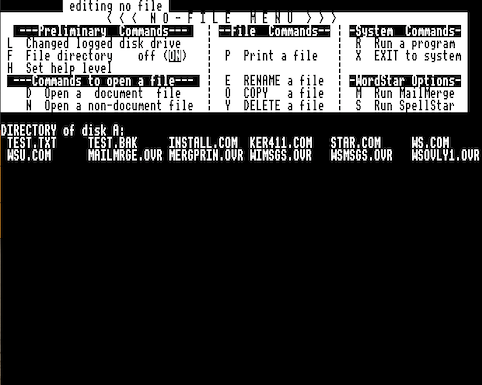
This article described the the very simple steps required to patch WordStar 3.0 so that it works as expected on an Acorn BBC Microcomputer with the Acorn Z80 Second Processor. For a similar article relating to dBaseII see Patching dBaseII for the Acorn Z80 Second Processor.
Wordstar comes with the program INSTALL.COM, this is used to create the WordStar application (WS.COM) or update it as required. The program requires the user to select the terminal type from a menu of choices. In order to use WordStar with the BBC Micro the None of the Above option should be selected. The installation will continue, e.g. select printer etc., however, at the end when asked Is the Installation Complete, reply N. The installation program will then allow constants (memory locations within WS.COM) to be updated.
Updating these constants as described below will allow WordStar to work with the Acorn BBC Microcomputer with the Acorn Z80 Second Processor.
Terminal Driver
The constants to be updated to support the BBC terminal are shown below, all values are in Hexadecimal;
Screen Size
Location Value Comment
  0248     20  height
  0249     50  width
Cursor Control
Location Value Comment
  024A     01  number of chars in sequence
  024B     1F  sequence char 1
  025D     01  column before row flag
  025E     00  line offset
  025F     00  column offset
Highlighting On
Location Value Comment
  0284     04  number of characters in sequence
  0285     11  sequence char 1
  0286     81  sequence char 2
  0287     11  sequence char 3
  0288     00  sequence char 4
Highlighting Off
Location Value Comment
  028B     04  number of characters in sequence
  028C     11  sequence char 1
  028D     80  sequence char 2
  028E     11  sequence char 3
  028F     01  sequence char 4
Terminal Name
The terminal name is stored in locations 018F to 01AE and can be changed from the default value, which in my case was ”IBM 3101 Terminal”, to something more appropriate. The following overwrites ”IBM 3101 Terminal” with ”Acorn Z80”, note the use of spaces (20h) to pad the string.
Location Value
  018F     20
  0190     41
  0191     62
  0192     6F
  0193     72
  0194     6E
  0195     20
  0196     5A
  0197     38
  0198     30
  0199     20
  019A     20
  019B     20
  019C     20
  019D     20
  019E     20
  019F     20
  01A1     20
  01A2     20
  01A3     20
  01A4     20
  01A5     20
  01A6     20
  01A7     20
  01A8     20
  01A9     20
  01AA     20
  01AB     20
  01AC     20
  01AD     20
  01AE     20