Created: 10th Sep 2026
Introduction
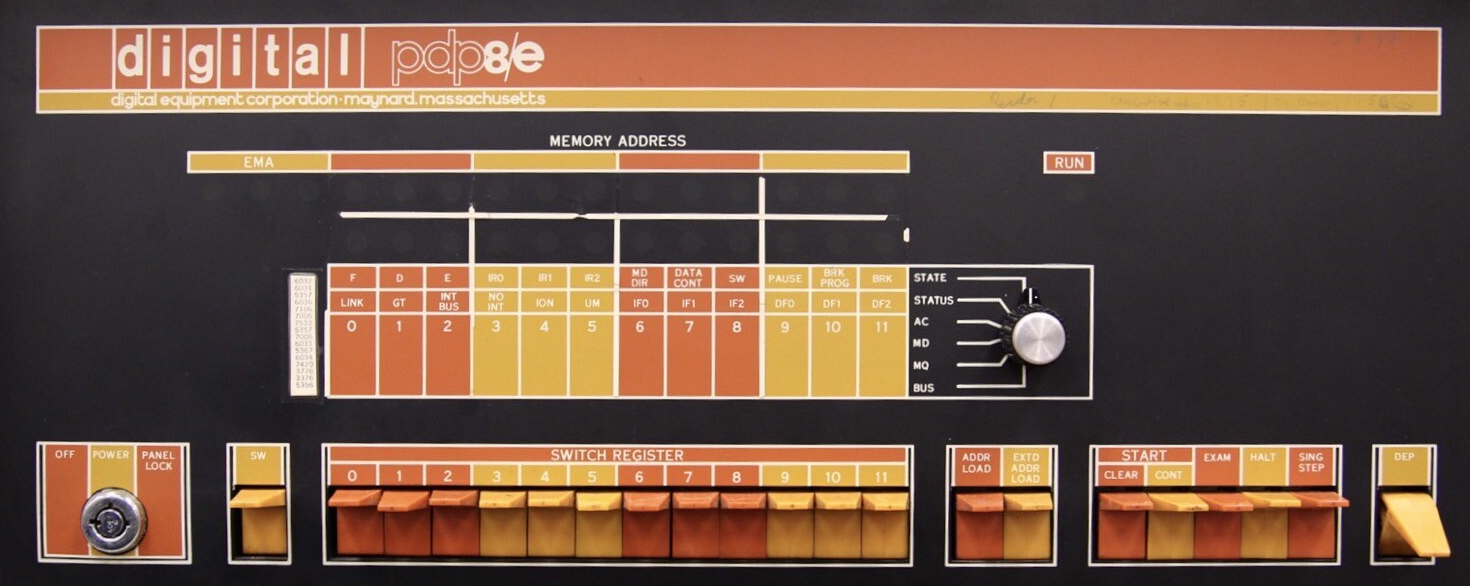
This article describes how to setup a PDP-8 emulation on a standalone Linux machine, running TSS/8 the muliuser operating system using real serial devices.
The Linux machine used in this example small footprint Lenova device running Fedora Linux 43 and open-simh v4.0-0. The machine has a single hardware serial port fitted.
In this example the console is set up for use with the hardware serial terminal and up to four users can connect using a Brainboxes four port USB to Serial device. These ports are connected to the SIMH emulated PDP-8 TTIX device.
Configuration
The pdp8.ini file shown below will produce the machine configuration specified below. Note that the machine is setup for running TSS/8 the muliuser operating system.
Actually connected and doing something:
- CPU: 32K words of core (needs the KM8E memory-management hardware to bank-switch beyond the base 4K), plus a KE8-E Extended Arithmetic Element — hardware multiply/divide, a genuine performance option most installations paid extra for.
- KW8-I real-time clock crystal controlled clock (CLK, 60Hz).
- Console teletype (TTI/TTO) — the primary operator console, KSR (keyboard send-receive), uppercase-only, mark parity — this is connected to the machines hardware serial port.
- A terminal multiplexer (TTIX/TTOX) — this lets multiple users share the machine simultaneously. This is attached to four USB serial ports.
- RF08 fixed-head disk (RF, 262KW) — this is the TSS/8 system disk — everything else is present but empty.
Present (the controller/interface exists) but nothing loaded — the equivalent of an empty drive bay:
- PTR/PTP — a high-speed paper tape reader and punch, sitting idle (no tape in the reader, a 'backup.ptp' tape in the writer).
- LPT — a line printer, no paper/output file attached.
- RK8E controller with 4× RK05 disk drives (RK0–RK3) — a whole second disk subsystem fitted, but no cartridges mounted in any of the four drives.
- RX8E controller with 2× RX01 8" floppy drives (RX0/RX1) — floppy disk capability, empty.
- TC08 DECtape controller with 8 transports (DT0–DT7) — a large DECtape installation, all empty reels.
- TM8E magtape controller with 8 drives (MT0–MT7) — reel-to-reel magnetic tape, all empty.
Not fitted at all (hardware options this particular machine doesn't have):
- TSC8-75 — no ETOS-style timeshare clock, not used in TSS/8.
- FPP8A — no floating-point coprocessor, most languages handle floating point well without it.
- RL8A and DF32 — two other disk subsystem types, neither present.
- TD8E — an alternative DECtape controller variant, not fitted the TC08 is filled instead.
- CT — no cassette storage.
- DPY — no graphics display.
pdp8.ini
; ============================================================
; pdp8.ini — TSS/8 timesharing configuration
; ============================================================

; --- CPU ---
set cpu 32k		; 32KW of core memory (max addressable with MC8/KM8E extension)
set cpu eae		; enable Extended Arithmetic Element (KE8E) - hardware MUL/DIV
set cpu noidl		; disable host-CPU idle detection; TSS/8 is multi-user/interactive
; and its idle loop pattern isn't one SIMH auto-detects well

; TSC (TSC8-75) provides timeshare control for DEC's ETOS operating
; system - unrelated to TSS/8, which does its own multiplexing via
; the KM8E memory-extension hardware. Leave disabled for TSS/8.
set TSC disabled

; The FPP8A was a real add-on hardware coprocessor for floating-point math — it existed
; on some physical ; PDP-8/E systems, but it's a pure performance accessory. TSS/8 itself
; has no dependency on it; the OS boots and runs its monitor entirely without it. Whether
; you'd want it depends only on what user programs you plan to run under TSS/8:
;
;  BASIC-8, FOCAL    — do their own software floating point, don't call the FPP hardware at all.
;  FORTRAN D / ALGOL — these are the languages that could, in principle, use FPP-accelerated
;                      math on real hardware.
set FPP disabled

; --- Console teletype (TTI/TTO) ---
; KSR, uppercase-only, mark parity is the simulator default for TTI/TTO;
; set tti 7b            ; would allow lowercase/full 7-bit ASCII through

; --- Extra terminals (TTIX/TTOX) — the timesharing lines ---
; 4 lines, attached as a Telnet listener on port 4000 so additional users
; can log in as separate TSS/8 jobs
;attach ttix 4000

; 4 real RS232 terminals via USB-serial adapter, 1200 baud 7E1
; lines 0 and 1 have modem protocols enabled, lines 3 and 4 don't
set ttix lines=4
attach -V ttix Line=0,modem,connect=/dev/pdp8-term1;1200-7e1
attach -V ttix Line=1,modem,connect=/dev/pdp8-term2;1200-7e1
attach -V ttix Line=2,nomodem,connect=/dev/pdp8-term3;1200-7e1
attach -V ttix Line=3,nomodem,connect=/dev/pdp8-term4;1200-7e1


; --- RF08 fixed-head disk — TSS/8's system/swap disk ---
set rf enabled
attach rf tss8_rf.dsk

; --- add a tape for use as a backup
attach ptp backup.pt

; --- add DEC tapes
attach dt0 tape0.tap
set dt0 writeenabled

attach dt1 tape1.tap
set dt1 writeenabled

attach dt2 tape2.tap
set dt2 writeenabled

attach dt3 tape3.tap
set dt3 writeenabled

; console detached from tty - admin-only telnet, separate from user lines
;set console telnet=6000
;set console telnet=buffered
; set console speed 1200

; serial console
set console serial=/dev/ttyS0;1200-7e1

; The set remote command opens a second listener purely for feeding SCP
; commands (like exit) to the simulator over the network, independent of
; the emulated machine's console. This is used by the Systemd service
; to cleanly shut down everything.
set remote telnet=6001

; --- Devices present but unused for this TSS/8 session ---
set df disabled        ; DF32 disk - not used by this TSS/8 image
set rl disabled        ; RL8A - not fitted in this configuration
; PTR/PTP/LPT/RK/RX/DT/MT/CT/DPY are left at their defaults (enabled,
; not attached) - TSS/8 doesn't need them for this boot, but they're
; available if you later want to attach paper tape, an RK05 pack, etc.

; automate the unattended boot sequence
expect "ETC?" send "START\r"; continue
expect "MONTH-DAY-YEAR" send "01-01-85\r"; continue
expect "HR:MIN" send "00:00\r"; continue

; --- Load the bootstrap and start ---
load tss8_init.bin
run 24200
Configuring Serial Ports
In the example described here, four serial ports have been added to the server by a four port serial port device made by Brainboses. And can be seen in the output of the lsusb command.
# lsusb

Bus 001 Device 004: ID 05d1:7031 Brainboxes, Ltd USB2Serial 4xRS232
Bus 001 Device 005: ID 05d1:7032 Brainboxes, Ltd USB2Serial 4xRS232
Bus 001 Device 006: ID 05d1:7033 Brainboxes, Ltd USB2Serial 4xRS232
Bus 001 Device 007: ID 05d1:7034 Brainboxes, Ltd USB2Serial 4xRS232
To ensure they all bound correctly to the appropriate driver (ftdi_sio in this case), and came up in a defined order, a udev rule was created.
This was placed un a file called /etc/udev/rules.d/99-brainboxes.rules.
# Brainboxes USB2Serial 4xRS232 — bind ftdi_sio and create stable symlinks
ACTION=="add", SUBSYSTEM=="usb", ATTRS{idVendor}=="05d1", ATTRS{idProduct}=="7031", RUN+="/sbin/modprobe ftdi_sio" RUN+="/bin/sh -c 'echo 05d1 7031 > /sys/bus/usb-serial/drivers/ftdi_sio/new_id'"
ACTION=="add", SUBSYSTEM=="usb", ATTRS{idVendor}=="05d1", ATTRS{idProduct}=="7032", RUN+="/sbin/modprobe ftdi_sio" RUN+="/bin/sh -c 'echo 05d1 7032 > /sys/bus/usb-serial/drivers/ftdi_sio/new_id'"
ACTION=="add", SUBSYSTEM=="usb", ATTRS{idVendor}=="05d1", ATTRS{idProduct}=="7033", RUN+="/sbin/modprobe ftdi_sio" RUN+="/bin/sh -c 'echo 05d1 7033 > /sys/bus/usb-serial/drivers/ftdi_sio/new_id'"
ACTION=="add", SUBSYSTEM=="usb", ATTRS{idVendor}=="05d1", ATTRS{idProduct}=="7034", RUN+="/sbin/modprobe ftdi_sio" RUN+="/bin/sh -c 'echo 05d1 7034 > /sys/bus/usb-serial/drivers/ftdi_sio/new_id'"

# Stable symlinks keyed to each port's unique serial number
SUBSYSTEM=="tty", ATTRS{idVendor}=="05d1", ATTRS{serial}=="R5CL0R2E", SYMLINK+="pdp8-term1", TAG+="systemd", ENV{SYSTEMD_ALIAS}="/dev/pdp8-term1"
SUBSYSTEM=="tty", ATTRS{idVendor}=="05d1", ATTRS{serial}=="R5UCARK7", SYMLINK+="pdp8-term2", TAG+="systemd", ENV{SYSTEMD_ALIAS}="/dev/pdp8-term2"
SUBSYSTEM=="tty", ATTRS{idVendor}=="05d1", ATTRS{serial}=="R5UCARK8", SYMLINK+="pdp8-term3", TAG+="systemd", ENV{SYSTEMD_ALIAS}="/dev/pdp8-term3"
SUBSYSTEM=="tty", ATTRS{idVendor}=="05d1", ATTRS{serial}=="R5CL0R2G", SYMLINK+="pdp8-term4", TAG+="systemd", ENV{SYSTEMD_ALIAS}="/dev/pdp8-term4"
This can be applied with the following.
sudo udevadm control --reload-rules
sudo udevadm trigger
The serial ports now turned up as
root@s1:/etc/udev/rules.d# ls -la /dev/pdp8-term*

lrwxrwxrwx 1 root root 7 Sep  9 19:26 help -> ttyUSB0
lrwxrwxrwx 1 root root 7 Sep  9 19:26 /dev/pdp8-term2 -> ttyUSB1
lrwxrwxrwx 1 root root 7 Sep  9 19:26 /dev/pdp8-term3 -> ttyUSB2
lrwxrwxrwx 1 root root 7 Sep  9 19:26 /dev/pdp8-term4 -> ttyUSB3
As a sanity check reboot the machine and then do a check e.g. Not that in my case the ttyUSB names have been assigned in a different order but SIMH TTIX has attached its connections to the correct ports.
root@s1:/home/john# ls -la /dev/pdp8-term*

lrwxrwxrwx 1 root root 7 Sep 10 13:43 /dev/pdp8-term1 -> ttyUSB0
lrwxrwxrwx 1 root root 7 Sep 10 13:43 /dev/pdp8-term2 -> ttyUSB3
lrwxrwxrwx 1 root root 7 Sep 10 13:43 /dev/pdp8-term3 -> ttyUSB1
lrwxrwxrwx 1 root root 7 Sep 10 13:43 /dev/pdp8-term4 -> ttyUSB2
journalctl -u pdp8.service --since "13:43" | grep -i ttix

Sep 10 13:44:02 s1.glasstty.local pdp8[977]: ./tss8.ini-38> attach ttix Line=0,/dev/pdp8-term1;1200-7e1
Sep 10 13:44:02 s1.glasstty.local pdp8[977]: ./tss8.ini-39> attach ttix Line=1,/dev/pdp8-term2;1200-7e1
Sep 10 13:44:02 s1.glasstty.local pdp8[977]: ./tss8.ini-40> attach ttix Line=2,/dev/pdp8-term3;1200-7e1
Sep 10 13:44:02 s1.glasstty.local pdp8[977]: ./tss8.ini-41> attach ttix Line=3,/dev/pdp8-term4;1200-7e1
Running as a service
Create a pdp8 user and add to the dialout group.
# useradd --system --no-create-home --shell /sbin/nologin --comment "PDP-8 TSS/8 simulator" pdp8
# usermod -aG dialout pdp8
Create a unit file for the service as /etc/systemd/system/pdp8.service.
[Unit]
Description=PDP-8 TSS/8 timesharing simulator
After=network.target
After=dev-pdp8\x2dterm1.device dev-pdp8\x2dterm2.device dev-pdp8\x2dterm3.device dev-pdp8\x2dterm4.device
Wants=dev-pdp8\x2dterm1.device dev-pdp8\x2dterm2.device dev-pdp8\x2dterm3.device dev-pdp8\x2dterm4.device

[Service]
Type=simple
User=pdp8
Group=pdp8
WorkingDirectory=/opt/pdp8
ExecStart=/opt/pdp8/bin/pdp8 tss8.ini
ExecStop=/bin/sh -c 'printf "exit\r\n" | timeout 5 /usr/bin/nc localhost 6001'
Restart=on-failure
RestartSec=5
TimeoutStopSec=10
SupplementaryGroups=dialout

[Install]
WantedBy=multi-user.target
Start the service.
# systemctl start pdp8.service
Check its status
# systemctl status pdp8.service
If all looks OK and you can connect to the remte console (see below), then enable it so that it starts automatically on a system boot.
# systemctl enable pdp8.service
Connect to the Remote Console
From a local machine connect using TELNET e.g
$ telnet <server name/ip addreaa> 6001
You should see the following response.
Connected to the PDP-8 simulator REM-CON device

PDP-8 Remote Console
Enter single commands or to enter multiple command mode enter the ^E character
Simulator Running...
Entering the SHOW SERIAL command should return the following. Note that the SIMH> prompt only appears when the command is typed in. DO NOT use Ctrl-E to get to the prompt.
sim> show serial
Serial devices:
 ser0	/dev/pdp8-term1 (1200-7e1)
 ser1	/dev/pdp8-term2 (1200-7e1)
 ser2	/dev/pdp8-term3 (1200-7e1)
 ser3	/dev/pdp8-term4 (1200-7e1)
 ser4	/dev/ttyS0
 ser5	/dev/ttyS4
 ser6	/dev/ttyUSB0
 ser7	/dev/ttyUSB1
 ser8	/dev/ttyUSB2
 ser9	/dev/ttyUSB3
Open Serial Devices:
 TTIX	Ln00 /dev/pdp8-term1;1200-7e1 (1200-7e1)	Config: 1200-7e1
 TTIX	Ln-1 /dev/pdp8-term2;1200-7e1 (1200-7e1)	Config: 1200-7e1
 TTIX	Ln-2 /dev/pdp8-term3;1200-7e1 (1200-7e1)	Config: 1200-7e1
 TTIX	Ln-3 /dev/pdp8-term4;1200-7e1 (1200-7e1)	Config: 1200-7e1
 CON-TELNET	Ln00 /dev/ttyS0;1200-7e1	Config: 1200-7e1
Transferring Text Files to the Machine
Create a Paper Tape File
A paper tape file can be created using the txt2ptp utility e.g.
txt2ptp <lander.bas > lander.ptp
Attack the new file to the high speed reader e.g. (from SIMH> prompt or pdp8.ini file)
ATTACH lander.ptp PTR
Cut and Paste
Use character delay an line delay of around 30ms and 200ms respectively when sending text files from a terminal emulation program.
Transferring Directly
Alternatively text can be be send directctly using tio e.g.
cat /home/john/Downloads/LunarLander.txt | tio /dev/ttyS0 --baudrate 1200 --databits 7 --parity even --output-delay 30 --output-line-delay 200
The tio package can also be used as a serial terminal e.g.
tio /dev/ttyS0 --baudrate 1200 --databits 7 --parity even --output-delay 30 --output-line-delay 200